

GitHub Copilot
by GitHub (Microsoft)
GitHub Copilot is the AI pair programmer that helps developers write code faster. Trained on billions of lines of public code, it suggests entire functions, writes documentation, explains code, and integrates seamlessly with your favorite IDE.
GitHub Copilot fundamentally changed how developers write code. Instead of typing every character, developers describe what they need in comments or function names—Copilot suggests the implementation. Accept with Tab, iterate with further comments, and build software at unprecedented speed.
Powered by OpenAI models fine-tuned on code, Copilot understands programming context deeply. It grasps the surrounding code, recognizes patterns from your codebase, and suggests completions that fit both syntactically and semantically. The suggestions aren’t generic snippets; they’re tailored to your specific context.
Key Capabilities
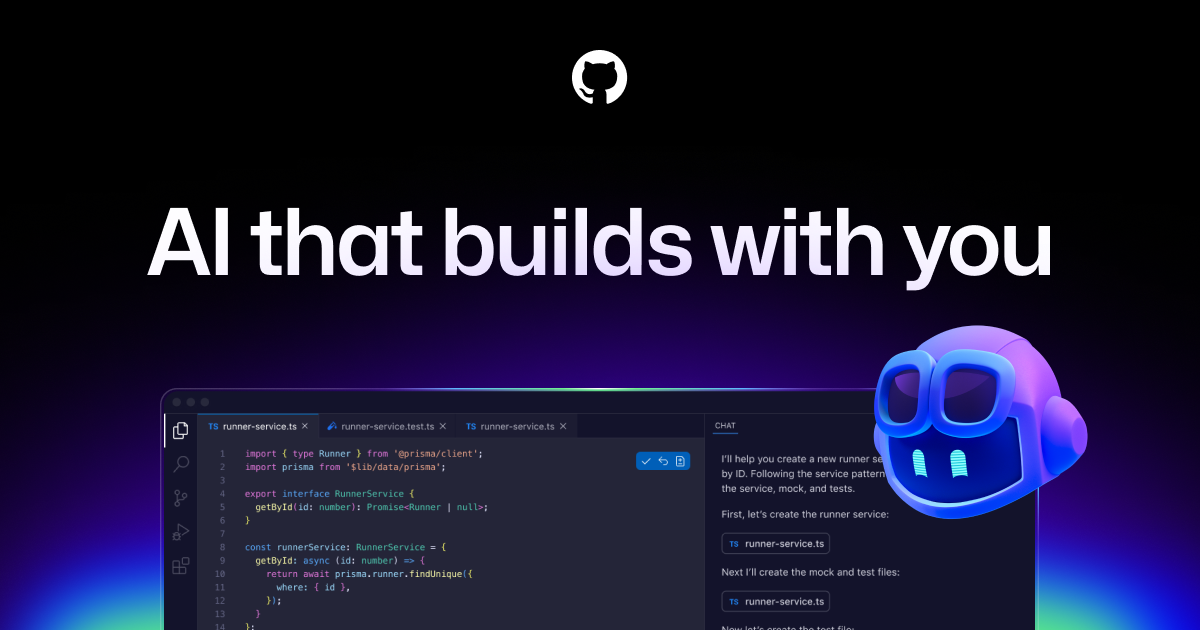
Inline suggestions appear as you type, completing lines, functions, or entire classes. The ghost text shows what Copilot predicts you’ll write next—accept it or keep typing. Multi-line suggestions tackle bigger chunks, generating loop bodies, error handling, or test implementations.
Copilot Chat brings conversational AI directly into your IDE. Ask questions about code, request explanations, debug errors, or get implementation suggestions through natural language. Pull request summaries auto-generate descriptions of your changes. CLI assistance helps with command-line operations.
Who Is It For
GitHub Copilot serves professional developers seeking productivity gains, students learning to code with intelligent assistance, teams maintaining large codebases, and anyone who writes code frequently. The free access for students and open-source maintainers makes it accessible to learners.
What Sets It Apart
The GitHub and Microsoft backing ensures Copilot continues improving while maintaining the widest IDE integration. From VS Code to JetBrains IDEs to Neovim, Copilot works where developers already work. The training on billions of code lines gives it unmatched pattern recognition.
Pros
- Deep integration with popular IDEs
- Excellent suggestion quality
- Supports virtually every language
- Constant improvements from Microsoft
- Free for students and OSS maintainers
- Chat interface for complex tasks
Cons
- Subscription required for most users
- Can suggest buggy or insecure code
- Privacy concerns with code telemetry
- Occasional incorrect suggestions
- Learning curve for optimal use
- Can reduce deep understanding
Key Features
- Intelligent code completion
- Multi-line and full-function suggestions
- IDE integration (VS Code, JetBrains, Neovim, etc.)
- Copilot Chat for conversational coding
- Pull request summaries
- CLI command assistance
- Documentation generation
- Test writing assistance
- Code explanation and debugging
- Multiple programming language support
Pricing Plans
Individual: $10/month or $100/year. Business: $19/user/month with organization features. Enterprise: $39/user/month with advanced security. Free for verified students and open-source maintainers.